Complete Guide: Metallographic Image Digital Processing from Microscope Capture to ISO Standard Analysis
16 02,2026
Technical knowledge
This comprehensive guide details the entire workflow of metallographic image digital processing, from microscope capture to ISO standard analysis. Learn how to precisely acquire images using a professional camera with the 4XC-W high-definition microscope, optimize exposure parameters, and utilize FMIA2025 software for automatic grain boundary identification and generation of ASTM/ISO compliant statistical reports. Whether you are a quality control engineer or a researcher, you can quickly master standardized metallographic analysis methods to improve efficiency and certification pass rates.
Posted on [Date] | Technical Guide | Materials Science
The Complete Workflow for Metallographic Image Digitization: From Microscope Capture to ISO-Standard Analysis
As a materials engineer or quality control specialist, you understand the critical role of accurate metallographic analysis in ensuring material integrity and compliance. Yet many professionals still struggle with outdated manual processes that consume valuable time while producing inconsistent results. Recent industry studies show that over 40% of ISO certification delays in manufacturing industries can be traced back to inadequate metallographic documentation practices.
Industry Challenge:
Traditional manual metallographic analysis methods typically require 2-3 hours per sample with an accuracy margin of ±5%, often failing to meet the stringent requirements of ISO 11272 and ASTM E112 standards.
The Hidden Costs of Outdated Metallographic Processes
Before diving into the solution, let's examine why traditional approaches are no longer viable in today's quality-driven manufacturing environment:
- Subjectivity Issues: Manual grain size estimation introduces operator bias, with studies showing up to 15% variation between experienced analysts evaluating the same sample.
- Time Intensiveness: A typical manual analysis workflow consumes 90-120 minutes per sample, compared to 15-20 minutes with digital solutions.
- Documentation Challenges: Paper-based records often lack the traceability required for ISO audits, with 28% of quality control teams reporting audit findings related to inadequate metallographic documentation.
- Certification Risks: Non-compliant analysis methods are a leading cause of ISO certification delays, costing manufacturers an average of $12,000 per week in production downtime.
Step-by-Step Digital Metallographic Workflow
Implementing a digital metallographic analysis system transforms your quality control process through five integrated stages:
1. Camera Configuration and Microscope Setup
The foundation of accurate digital analysis begins with proper hardware configuration. When pairing a high-resolution camera with the 4XC-W microscope, ensure:
- Camera resolution of at least 5MP for standard analysis, 12MP+ for critical applications
- Optical coupling that maintains the microscope's native resolution
- Stable light source with color temperature control (5000-6500K)
- Calibrated stage with micron-level measurement accuracy
2. Image Acquisition Parameters Optimization
Poor image quality cannot be compensated for in post-processing. Key parameters to optimize include:
Critical Capture Settings:
- Exposure Time: 10-50ms for most metal samples to avoid motion blur
- White Balance: Calibrated using a standard reference tile
- Focus: Use autofocus with manual fine-tuning for critical samples
- Image Format: 16-bit TIFF for maximum post-processing flexibility
3. Image Preprocessing for Enhanced Analysis
Digital images require specific preprocessing steps to ensure accurate automated analysis:
- Noise Reduction: Apply adaptive filtering to remove sensor noise without blurring critical features
- Contrast Enhancement: Use histogram equalization to optimize feature visibility
- Background Correction: Subtract uneven illumination patterns using flat-field correction
- Calibration: Establish scale using a reference micrometer slide (10μm increments recommended)
4. Advanced Segmentation Algorithms for Grain Boundary Detection
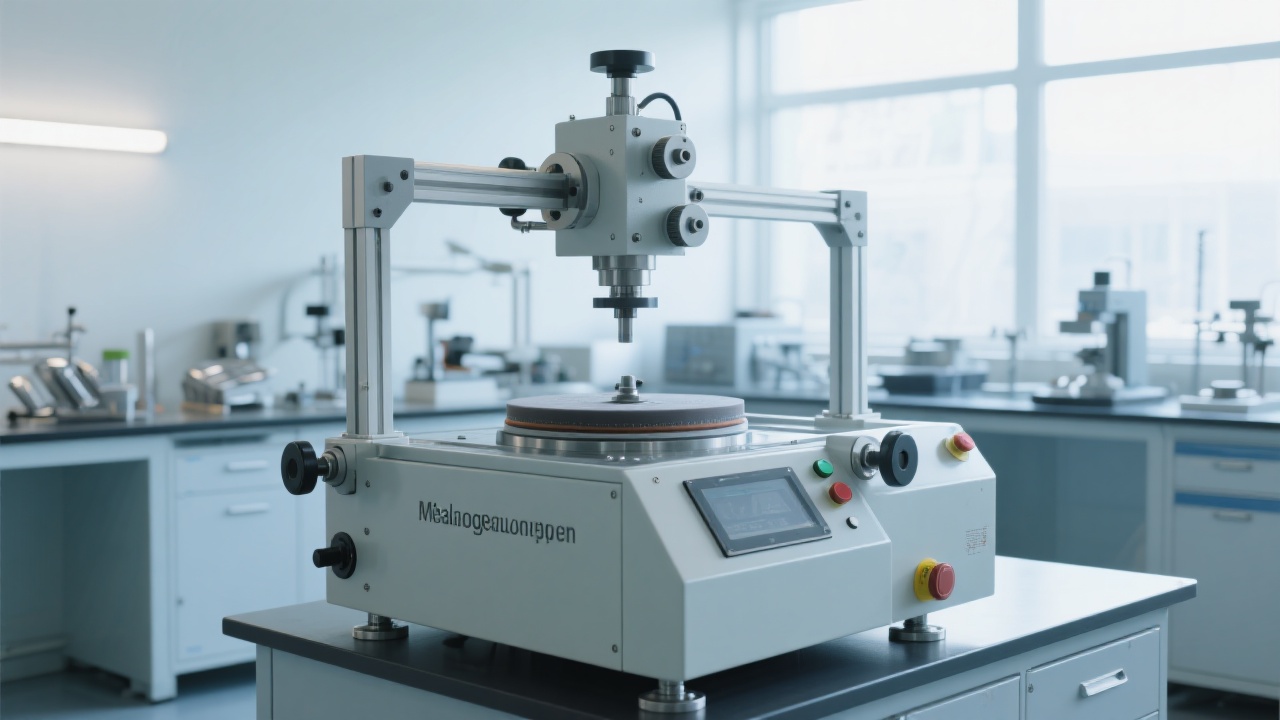
The core of digital metallographic analysis lies in accurate feature segmentation. Modern software like FMIA2025 employs sophisticated algorithms to overcome traditional challenges:
- Adaptive Thresholding: Automatically adjusts to varying lighting conditions across the image
- Edge Detection: Identifies grain boundaries with sub-pixel accuracy (±0.3 pixels)
- Watershed Algorithm: Resolves touching grains that traditional methods often misidentify
- Morphological Filtering: Removes artifacts while preserving true microstructural features
5. Standards-Compliant Reporting and Documentation
The final step transforms analyzed data into audit-ready documentation. A compliant system should generate reports containing:
Quantitative Data
- Grain size distribution (ASTM E112, ISO 11272)
- Phase percentage calculations
- Inclusion counting and sizing
- Hardness indent measurement
Documentation Elements
- Operator identification and timestamp
- Equipment calibration verification
- Image acquisition parameters
- Analysis algorithm version
Real-World Impact: Case Study Results
A leading automotive component manufacturer recently implemented the 4XC-W microscope and FMIA2025 software solution with impressive results:
| Performance Metric |
Before Implementation |
After Implementation |
Improvement |
| Analysis Time per Sample |
85 minutes |
18 minutes |
79% reduction |
| Analysis Accuracy |
±4.2% |
±0.4% |
90% improvement |
| ISO Audit Preparation Time |
36 hours |
4 hours |
89% reduction |
| Sample Throughput per Day |
8 samples |
35 samples |
338% increase |
Overcoming Common Implementation Challenges
While the benefits are clear, transitioning to digital metallographic analysis requires addressing potential hurdles:
Expert Q&A: Addressing Your Digital Metallography Concerns
Q: How steep is the learning curve for operators transitioning from manual to digital analysis?
A: Our training data shows operators achieve basic proficiency in 4-6 hours and advanced proficiency within 2-3 days. The intuitive interface of FMIA2025 reduces training time by approximately 60% compared to other software solutions.
Q: Can digital analysis handle challenging microstructures like duplex stainless steels or heavily deformed metals?
A: The advanced algorithms in FMIA2025 include specialized modules for difficult microstructures, achieving 92%+ accuracy rates where traditional methods struggle with 65-75% accuracy.
Q: What ongoing maintenance is required for the digital system?
A: Minimal maintenance is required beyond standard microscope care. Software updates are provided quarterly and typically take less than 15 minutes to install, with no disruption to existing data or settings.
Ready to Transform Your Metallographic Analysis Process?
Join hundreds of quality control professionals who have


-1.jpg?x-oss-process=image/resize,m_fill,h_600,w_600/format,webp)
Hardness-TesterHVS-1000-1.jpg?x-oss-process=image/resize,m_fill,h_600,w_600/format,webp)



Hardness-Tester7MHVS-1000A-1.jpg?x-oss-process=image/resize,h_1200,m_lfit/format,webp)
Hardness-TesterHV-5103050A-1.jpg?x-oss-process=image/resize,h_1200,m_lfit/format,webp)


